Things on this page are fragmentary and immature notes/thoughts of the author. Please read with your own judgement!
Tips and Tricks
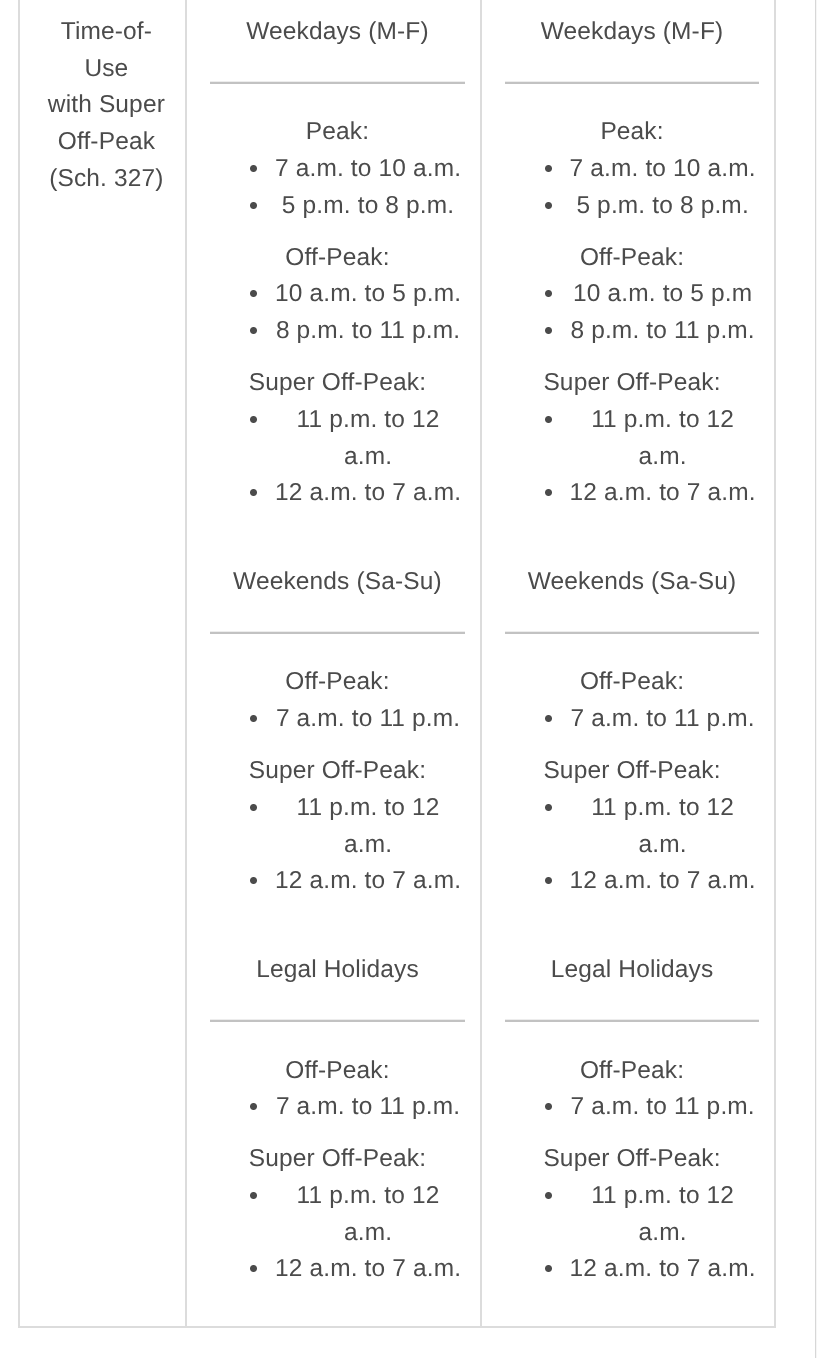
The Anker Home Backup Battery System automatically decides when to charge based the time-of-use schedule.
A F3800 plus battery has to be disconnected from the Anker Home Power Panel before doing firmware update.
Use only one F3800 plus battery for system self-test. Once the system self-test is done, just connect the other F3800 plus battery (if you have 2 F3800 batteries).
Switch off breakers on the Anker Home Panel before plugging/unplugging batteris.
F3800 plus batteries can be added as devices in the Anker app but BP3800 extension batteries cannot be directly added as devices. A BP3800 extension battery shows up under the F3800 battery that it connects to in the app.
If battery capacity is an issue, you can
Add BP3800 expansion batteries.
Leverage manual override to charge batteries. Notice that manual override is one-time only.
Configure 10am - 5pm (off peak) as super off-peak in the app to fool the system to charge between the 2 peak periods.
Use an EV to charge batteries if necessary during a power outage. Notice that the batteries cannot supply power to the house while they are being charged.
The Anker app supports at most 6 time frames for time-of-use. If you this becomes a limit to you, you can remove the last super off-peak time frame (11pm - 12pm). This gives you the flexibility to hack other time frames. For example, you can split an off-peak time frame into an off-peak time frame and a super off-peak time frame to fool the sytem to do more charging. Even if you do need such a hacking, this can still provides a couple of benefits.
Easier to set up time-of-use in the app.
Cleaner as there’s one fewer time frame in the app.
Customer Service
Phone: 800-988-5541 (9AM-5PM(PT) Monday to Friday)
Email: support@anker.com
PSE Time-Of-Use
https://
User Guide
https://
https://
https://
https://