Things on this page are fragmentary and immature notes/thoughts of the author. Please read with your own judgement!
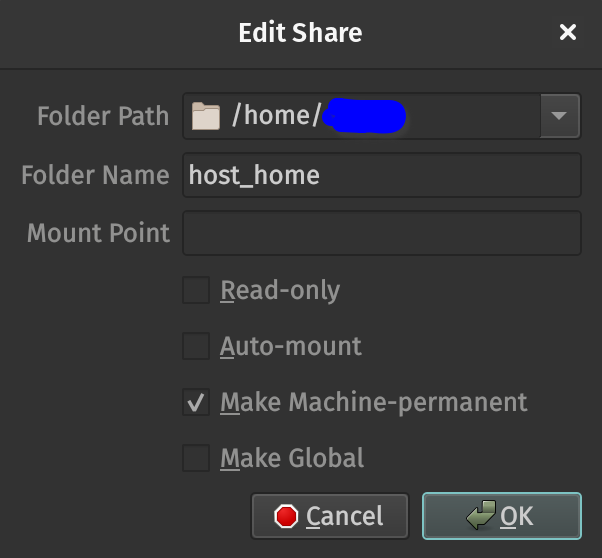
Do NOT check any of the following options unless you know what you are doing.
Read-only
You won’t be able to write to the share directory.
Auto-mount
Auto-mount uses the root account by default.
Not sure whether it uses the user account if a root account is not created in the VM.
Do check the following option(s).
Make Machine-permanent
The shared folder will survive VM reboots.
Make Global
The shared folder will be available to all VMs even after reboots.
It is suggested that you mount a shared folder manually.
 sudo mount -t vboxsf -o uid=$(id -u),gid=$(id -u),fmask=177,dmask=077 \
     name_of_shared_folder mount_point
As alternatives to shared folders, you can
SSH into the host machine
use sshfs
start JupyterLab, VSCode Servers on the host and work in the guest VM