Using pandas.read_csv
This approaches requires you to have a running TensorBoard which is serving the data you want to read.
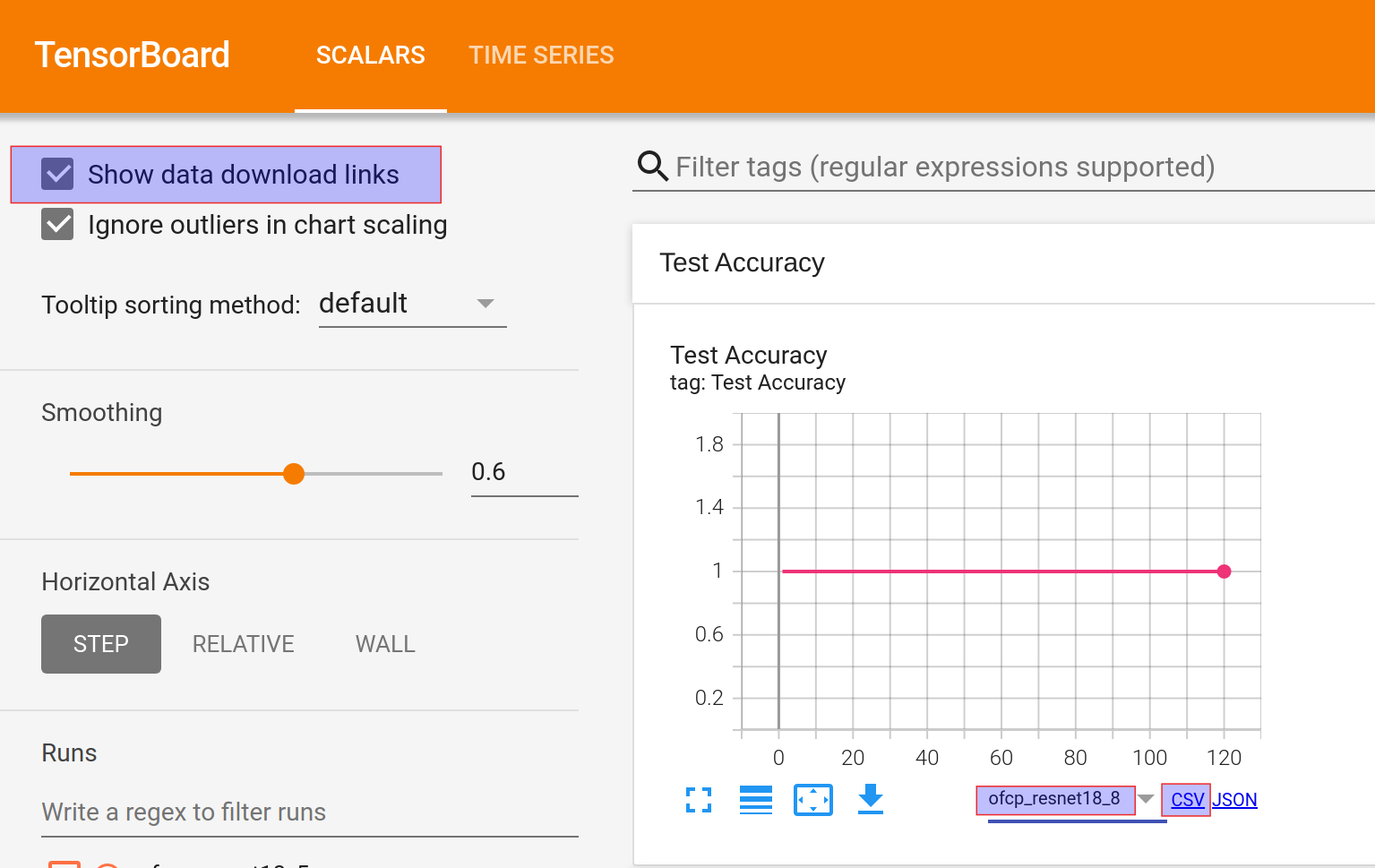
Check the checkbox “Show data download links”. See highlighted in the top-left corner of the screenshot below for an example.
Select an experimentation whose you’d like to download. See highlighted in the bottom-right corner of the screenshot for an example.
Right click on the
CSVlink and use the pop-up menu to copy the link. See highlighted in the bottom-right corner of the screenshot for an example.Now you can read the data into pandas using copied link. See the Python code below the screenshot for an example.
import pandas as pdpd.read_csv(
"http://10.0.0.185:6006/data/plugin/scalars/scalars?tag=Test+Loss&run=ofcp_resnet18_8&format=csv"
)tensorboard.backend.event_processing.event_accumulator.EventAccumulator
This approach has dependency on the Python library tensorboard, however, it does not need an running instance of TensorBoard. You just need to know the location of TensorBoard logs.
from tensorboard.backend.event_processing.event_accumulator import EventAccumulatorimport pandas as pdacc = EventAccumulator(
"/workdir/ofcp_resnet18_8/events.out.tfevents.1632516849.jupyterhub-pytorch.21037.0"
)acc = EventAccumulator(
"/workdir/archives/ofcp_data/tensorboard/ofcp_resnet18_8/events.out.tfevents.1632516849.jupyterhub-pytorch.21037.0"
)acc.Reload()<tensorboard.backend.event_processing.event_accumulator.EventAccumulator at 0x7fa4f00f3a30>acc.Tags(){'images': [],
'audio': [],
'histograms': [],
'scalars': ['Training Loss',
'Training Accuracy',
'Test Loss',
'Test Accuracy'],
'distributions': [],
'tensors': [],
'graph': False,
'meta_graph': False,
'run_metadata': []}pd.DataFrame(acc.Scalars("Test Loss"))