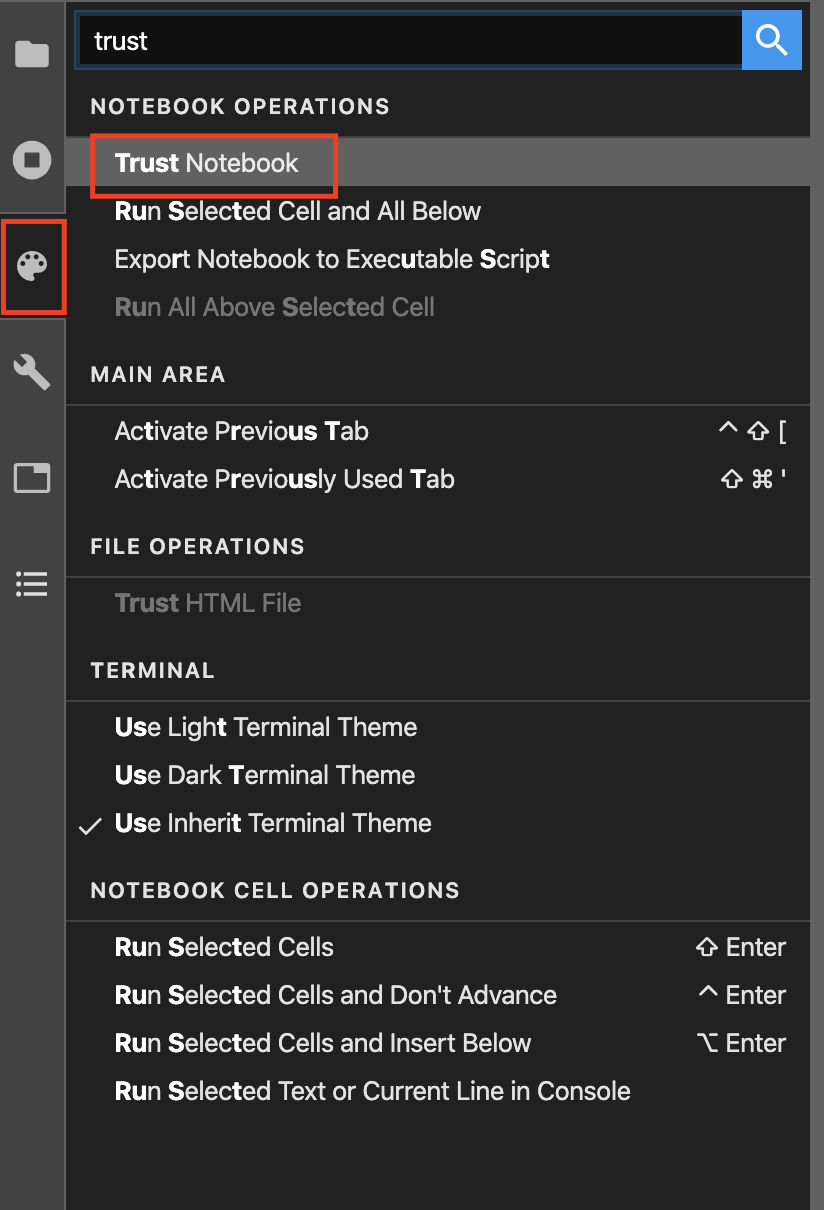
By default, IPython (kernel of Jupyter/Lab notebook) disables executation of untrusted code without explicit user input. If you have notebook whose output containings JavaScript (e.g., JS-based visualiation) and code wasn’t run by you (e.g., the notebook is shared by someone else), the JS-based output won’t be shown by default. For more explanation, please refer to Notebook Security.
There are currently 2 ways to trust a notebook. First, you can trust (multiple) notebooks via command-line.
jupyter trust path_to_notebook.ipynb
jupyter trust notebook1.ipynb notebook2.ipynb
jupyter trust *.ipynb
Second,
you can trust a notebook using the Trust Notebook comamnd from the command tab in the left panel.
Click the on the
Commandstab in the left panel.Search for
Trust Notebook.Click the
Trust Notebookbutton to trust a notebook. You will get a prompt to confirm your action.