Extensions
Please refer to Useful Visual Studio Code Extensions .
Set Python Environment for Visual Studio Code Server
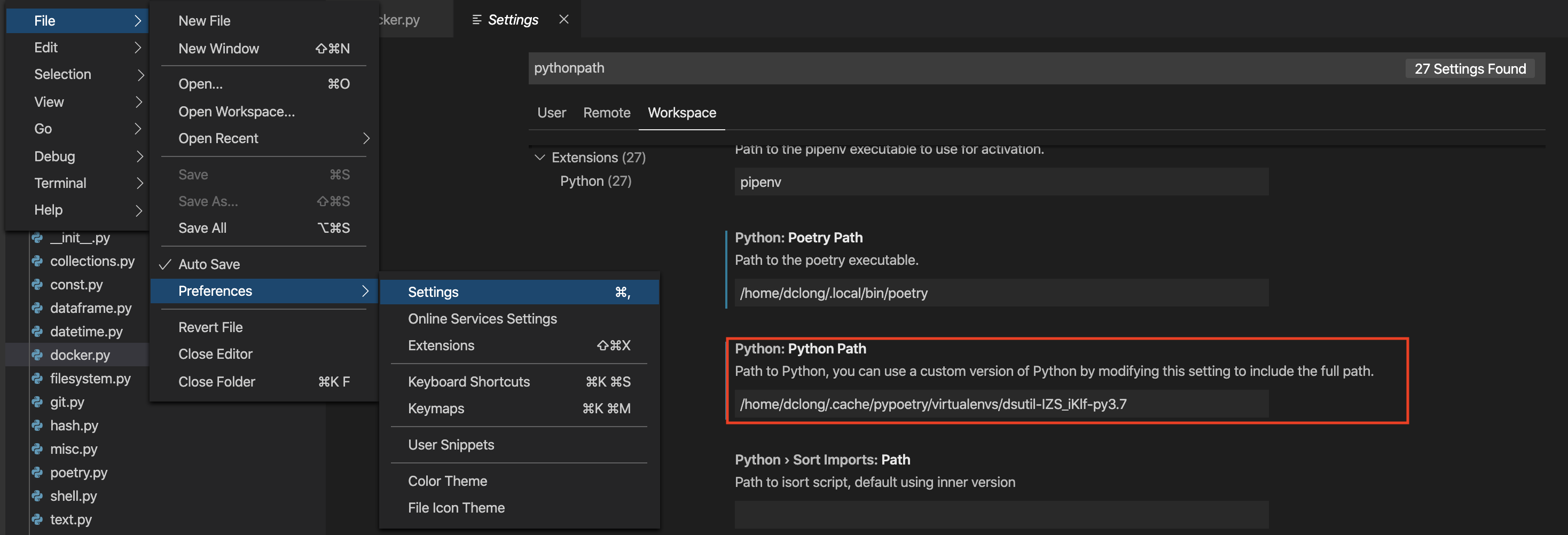
File -> Preference -> Settings
Click on Workspace.
Search for
Python Path.Change Python Path to the one you want to use.
Debug a Python Project
Visual Studio Live Share
What is Visual Studio Live Share?
Visual Studio Code for Jupyter Notebook
https://