Benchmark Tools for Linux
phoronix-test-suite is currently the best benchmark tool for Linux. You can use it to figure out the bottleneck of performance of your Linux machine. Please refer to Benchmark Your Linux Machine Using phoronix-test-suite for more discussions.
BCC is a toolkit for creating efficient kernel tracing and manipulation programs leveraging extended Berkeley Packet Filters (eBPF).
Upgrading Hardware
Get larger RAM for your computer.
Get a SSD disk.
Get a good graphics card (if you have workstation).
Configuration
Configure GRUB to fix PCIe BUS errors if any. Please refer to Pcie Bus Error: Severity=Corrected, Type=Physical Layer for detailed discussions . Notice that you might have to do this every time you upgrade your Linux kernel.
Reduce GRUB timeout to a smaller value. Please refer to Reduce GRUB Timeout for detailed discussions .
Configure
vm.swapnessto be a proper value (10 or even less), if your Linux system has a large swap partition. For more details, please refer to SwapFaq .Choose a fast mirror. If you are using Ubuntu, a fast mirror will be automatically decided based on your location. However, if you are using other Linux distribution (e.g., Linux Mint), you might have to choose a fast mirror manually.
Use the
noatimeoption for filesystems. Add thenoatimeoption into your fstab for all non-swap partitions. This is NOT recommended unless you really want to squeeze the performance of Linux machine.Remove non-necessary autostart applications and configure a delay to must-have autostart applications. Please refer to Manage Autostart Applications for detailed discussions.
Disable non-needed systemd services. Please refer to Manage systemd Services and Units for detailed discussions.
If you use the GNOME desktop environment, configuare “Gnome Shell Search” to disable unnecessary applications.
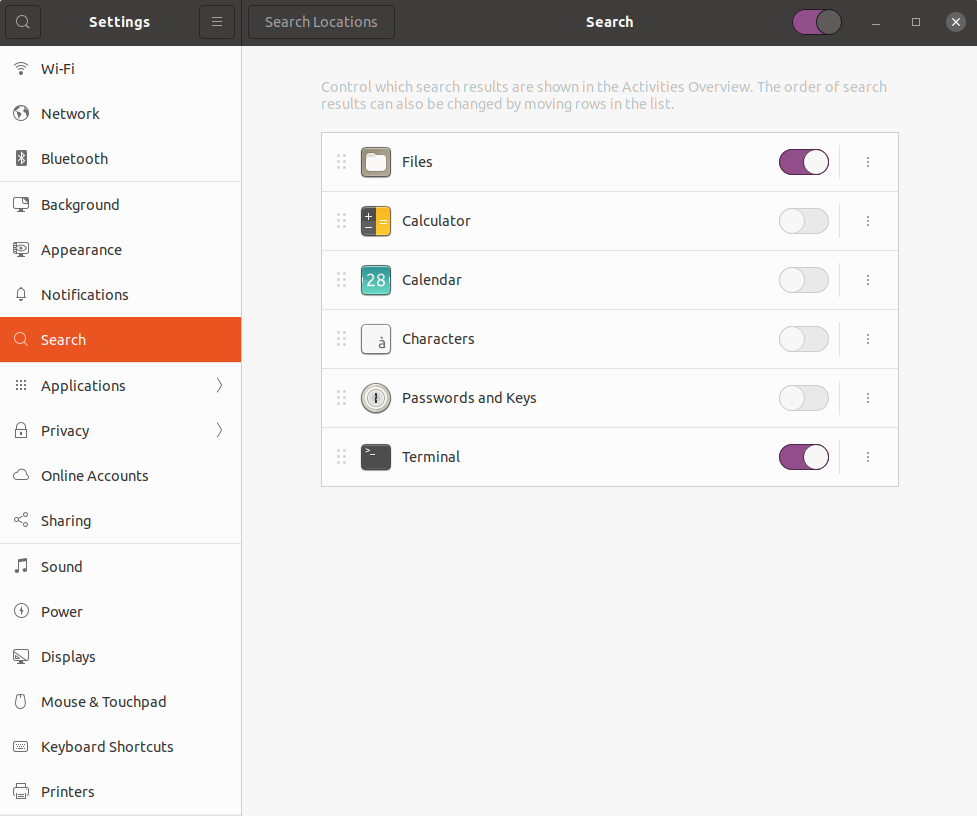
Software-based Optimization
Linux Distribution and Kernels
Use a light-weighted Linux distribution. For example, antiX Linux is a light-weighted debian-based Linux operating system.
Use a light-weighted desktop environment, e.g., Xfce or LXQt. When used with Ubuntu, they correspond to Xubuntu and Lubuntu which are both good choices for non-powerful computers.
Keep your Linux distribution up to date. Generally speaking, it is a good idea to use the latest LTS or stable versions.
Remove old kernels.
 :::bash
 sudo apt purge linux-image-<verson>
Lightweight Alternatives
Use dash instead of bash which makes boot faster.
 :::bash
 sudo apt install dash
 wajig reconfigure dash
Use Evince instead of Okular which is resource hungry
and has lots of KDE dependencies.
Package and Disk Cleanup
Identify orphan packages and remove them.
sudo deborphan | xargs sudo apt remove --purgeClean up packages.
 :::bash
 wajig autoremove && wajig autoclean
Clean up disk using
localepurge.:::bash sudo apt install localepurge localpurge